Google Photos
- 4.4
- Rating
- 10.00B
- Installs
- Free
- Price

 Analysis by App-foxy
I started using Google Photos as a simple place to keep pictures, but it quickly became more useful as a way to find, review, and share moments across different situations. It is a free photography app from Google LLC, available for everyone, and its enormous user base makes sense once you see how smoothly it connects everyday phone photography with a broader photo library.
What stands out to me is that the experience changes noticeably with your connection. When the network is available, the app feels like a living archive: photos can appear across devices, sharing becomes quick, and searching through a large collection is much easier than scrolling endlessly through a phone gallery. When connectivity is limited, the app becomes more dependent on what is already available on the device, so the best experience comes from understanding which tasks need a connection and which ones are better handled before leaving home.
How Google Photos fits into everyday photography
I use Google Photos as more than a place to browse recent shots: it helps me turn a busy camera roll into something I can actually return to and share. In this section, I’ll look at how that everyday role differs from a basic phone gallery, then move into the practical choices that make the experience smoother.
In-Depth Coverage of Google Photos
A familiar gallery with a much wider reach
At its heart, this is still a photo library. I can open it to browse recent pictures, revisit older memories, and organize a collection that would otherwise become difficult to manage. That sounds ordinary, but the difference is scale. A phone gallery is usually tied closely to one device, while Google Photos is designed around the idea that your memories should remain easy to reach as your devices and habits change.
The app was released on May 28, 2015, and it has grown far beyond a niche photo tool. It now has an average rating of 4.4 from around 54 million ratings, with more than 1.3 million written reviews and over 10 billion installs. Those figures do not guarantee that every person will enjoy it, but they do show how deeply it has become part of everyday mobile photography.
I find it especially helpful for people who take pictures casually rather than managing them like professional assets. A family gathering, a child’s school event, a weekend walk, or a quick picture of a receipt can all end up in the same broad collection. The challenge is not taking the picture; it is finding it again later. This app is strongest when that problem matters to you.
Connectivity changes what feels immediate
The most noticeable network-dependent moments happen when I move beyond the phone where a picture was captured. Uploading, accessing a wider library, and sharing with someone else naturally feel faster and more complete when the connection is stable. On a strong home network, the transition from taking a picture to seeing it in the wider collection feels almost invisible.
That convenience can create the wrong expectation, though. A photo library may look unified, but not every item is necessarily equally ready at every moment. A recent picture may still be processing, a shared item may take time to appear, and a large collection can feel less responsive when the connection is weak. I would not treat the app as a magic replacement for local files. I treat it as a connected layer over my photo habits.
This distinction matters when traveling. Before leaving, I prefer to open important albums and make sure the pictures I may want are already accessible on the device. That small habit avoids the frustrating situation of standing somewhere with poor reception and discovering that the image I want to show someone still depends on a network request.
Useful on a phone, but not equally useful in every place
On a mobile screen, the strongest benefit is convenience. I can review a collection while waiting for an appointment, find an older picture during a conversation, or share a group of images without first sorting through every folder manually. The interface is more comfortable for browsing than for serious editing work, but that is not really its main purpose.
A realistic example is a weekend family visit. I might take pictures throughout the day, then later want to send only the best ones to relatives. Instead of selecting images from several camera folders, I can use the main library as my starting point, review the day in sequence, and share the chosen group. If the connection is good, this feels quick. If the signal is poor, I may need to wait, reduce what I am trying to do, or postpone sharing until I am back on a reliable network.
That makes the app a good companion for mobile photography, but not an ideal tool for every mobile situation. If I am working with large professional files, need exact folder control, or must guarantee immediate access in a remote area, a dedicated local file workflow is safer. Google Photos is optimized for personal memories and convenient access, not for replacing every kind of photo-management system.
Finding pictures without remembering the folder
One of the more valuable habits is searching by context instead of relying only on dates. I do not always remember when I took a picture, but I may remember that it showed a particular place, person, object, or event. Searching with that kind of clue can be much more practical than manually moving through months of thumbnails.
The trade-off is that automated organization is not the same as personal organization. I still prefer to create a clear album for an important trip or project rather than assuming I will remember the right search phrase later. Search helps me discover; albums help me maintain control. Using both approaches is more reliable than depending entirely on either one.
Another useful workflow is to make a quick selection soon after an event. I can remove obvious duplicates from my attention, mark the pictures that matter, and create a focused album while the context is still fresh. Doing this regularly prevents the library from becoming a giant pile of nearly identical images. The app can help me find things, but it cannot replace the judgment of deciding what deserves to remain prominent.
You May Also Like

 AccuWeather: Weather Radar
AccuWeather Review: A Quick, Clear Forecast for Everyday Decisions
For everyday plans, the best forecast is the one you can understand quickly. AccuWeather makes rain timing, radar, and local conditions easy to act on, with a few trade-offs.

 Hill Climb Racing
Why Hill Climb Racing Still Turns Crashes Into One More Run
A tiny car, a bumpy hill and one more upgrade: Hill Climb Racing keeps resurfacing because its simple chaos makes every near-miss feel personal.

 AliExpress - Shopping App
AliExpress Makes Global Shopping Feel Personal, but Shoppers Bear the Risk
AliExpress turns a global marketplace into a pocket-sized discovery engine. Its reach is useful, its shopping loop compelling, and its trade-offs easy to miss.

 Lords Mobile: Kingdom Wars
Lords Mobile Is a Kingdom-Building Routine, Not a Quick Match
A case-by-case verdict on the building, battles, device demands, and social commitments that make Lords Mobile rewarding for some players and exhausting for others.

 PDF Scanner app - TapScanner
TapScanner Makes Paperwork Easier to Capture, Check, and Share
TapScanner makes scanning with a phone feel less like a rescue operation and more like a dependable step in getting work done. Its capture tools are useful, though not flawless.

 Block Blast!
Block Blast! Shows How Much a Puzzle Game Can Leave Out
A quiet grid game shows why puzzle players increasingly value instant clarity, repeatable skill and low-pressure play—and where the genre still needs to catch up.
More From Our News Desk
View All News


What happens when the connection fails
The real test of a connected photo app is not a perfect home network. It is the moment when a train enters a tunnel, a hotel connection becomes unreliable, or mobile data is unavailable. In those situations, I notice the difference between pictures already present on the phone and content that needs to be reached through the wider library. Local images remain the most dependable starting point, while remote access can become slower or unavailable until the connection returns.
I therefore avoid leaving important sharing tasks until the last minute. If I need to show a travel document, send a set of family pictures, or refer to an image during a meeting, I prepare that material while I have a reliable connection. This is not complicated, but it is the kind of practical step that prevents a connected service from becoming a source of stress.
Recovery after a connection problem is usually less dramatic than the failure itself. Once the network returns, I check whether recent pictures have finished appearing and whether a pending share or upload has completed. I do not assume that closing the app immediately solves everything. A short pause and a quick review of the latest items give me more confidence that the library reflects what I expected.
For anyone who takes pictures in places with inconsistent reception, I recommend separating capture from organization. Take the pictures first, keep the phone charged, and do the heavier sorting or sharing later. Trying to perform every step immediately can make a weak connection feel like an app problem when it is really a timing problem.
Being careful with mobile data
Because photography can involve many large files, I would not use this app carelessly on a limited mobile-data plan. Browsing a few pictures is one thing; moving a large collection or repeatedly sharing full-resolution images is another. I prefer to handle substantial library work on a trusted Wi-Fi connection and use mobile data for smaller, more deliberate tasks.
This also changes how I approach long trips. I avoid opening large albums repeatedly just to pass time, especially when I know the material may need to load again. Instead, I decide beforehand which pictures matter and make sure they are available for the situations where I expect to need them. That is a more data-conscious workflow than treating the entire library as instantly local.
There is a privacy and attention angle too. A continuously connected photo collection is convenient, but it encourages me to keep adding pictures without reviewing them. I find it healthier to set aside a few minutes after a busy day to sort the useful images from accidental screenshots, duplicates, and temporary references. The benefit is not only less clutter; it also makes future searches faster and more meaningful.
Who should use it, and who should look elsewhere?
I would recommend Google Photos to someone who takes many pictures on a phone and wants a practical way to revisit them later. It is particularly appealing if you use more than one device, share pictures with family, or regularly forget where a particular image was saved. The free price also makes it easy to try without turning the decision into a financial commitment.
It is a strong fit for families, travelers, students, and casual photographers who value discovery over strict manual filing. Someone who wants to find an old birthday picture by remembering the occasion rather than the exact folder can benefit a lot. The same is true for a person who often needs to send a small selection of images instead of an entire camera roll.
I would be more cautious recommending it as the only system for professional photographers, journalists, or anyone with demanding archival requirements. Those users may need precise file naming, predictable folder structures, detailed metadata control, or a workflow built around local storage and specialized editing tools. A traditional file manager or dedicated photography application can be better when control matters more than convenience.
It may also disappoint people who expect a fully independent offline gallery in every circumstance. The pictures physically on the phone are one thing; a broad connected collection is another. If you often work beyond reliable coverage, plan around local access rather than assuming the whole library will behave identically everywhere.
How it compares with a basic phone gallery
A standard phone gallery is often quicker for immediate local browsing and may feel simpler when all I need is the last picture I took. It also keeps the relationship between folders and files more obvious. For a small collection on one device, that simplicity can be enough.
Google Photos becomes more useful as the collection grows or spreads across devices. Its advantage is not merely displaying pictures; it helps me approach the library through memories, search, albums, and sharing. The price of that convenience is greater dependence on connectivity and less emphasis on traditional folder-by-folder control.
Compared with a dedicated cloud storage service, it feels more photo-centered. A general storage app may be better for documents, project folders, and exact file handling, while this app is more natural for browsing personal images. Compared with a specialized editing app, it is less focused on deep creative control. I see it as the middle ground between a local gallery and a full file archive: friendly, broad, and convenient, but not the final answer for every photographer.
Small habits that make the experience better
My first tip is to prepare before connectivity becomes uncertain. Open the albums you expect to need, identify the key pictures, and avoid assuming that a remote item will load at the exact moment you want it. This is especially useful for travel, outdoor events, and long journeys.
My second tip is to use albums for decisions, not just storage. After an event, I create a focused group containing the images I would actually send or revisit. This keeps search useful while giving important memories a clear home. It also makes sharing less error-prone than selecting from a huge chronological stream.
My third tip is to separate temporary pictures from meaningful ones. Screenshots, delivery details, reference images, and duplicate shots can make a library noisy. Reviewing them periodically improves the value of every later search. The app can surface a picture, but a cleaner collection makes that result more trustworthy.
My fourth tip is to check the latest activity after reconnecting. If I took pictures during a weak-signal period, I look for the newest items once the network is stable and confirm that the collection is behaving as expected. This simple check is worthwhile before deleting local copies or assuming that a shared selection is ready for someone else.
My connectivity verdict
After using Google Photos as both a daily gallery and a connected memory library, I think its biggest strength is the way it reduces the effort of finding and sharing personal pictures. It feels most natural when I have a reliable connection and a collection large enough that ordinary folders are no longer satisfying.
Its main limitation is equally clear: the connected experience is not identical to having every image stored locally and ready at all times. Weak reception can interrupt browsing, sharing, and access to content that is not already on the phone. I do not consider that a reason to avoid the app, but I do consider it a reason to plan ahead.
Google LLC has made a free photography app that works particularly well for people who want their memories to remain approachable rather than perfectly catalogued. With an Everyone age rating and a mature presence since 2015, it is easy to recommend for ordinary personal use. I would choose it for family photos, travel memories, and everyday discovery; I would pair it with a more controlled local workflow for professional or connectivity-sensitive work.
My honest recommendation is to use it as a connected photo companion, not as your only safety net. Keep important material prepared for the moments when the network is unreliable, organize meaningful albums while events are still fresh, and let the app handle the searching and sharing that a basic gallery makes tedious. Used with those expectations, it becomes a genuinely helpful part of mobile photography rather than just another place where pictures accumulate.
FAQs for Google Photos
01What is Google Photos and how does it work?
Google Photos is a photo and video storage service developed by Google. It offers users free, unlimited storage for photos up to 16 megapixels and videos up to 1080p resolution. The app automatically backs up your media, organizes it, and makes it easily searchable using AI technology. You can access your photos from any device where you’re signed in to your Google account.
02How does Google Photos handle photo backup and storage limits?
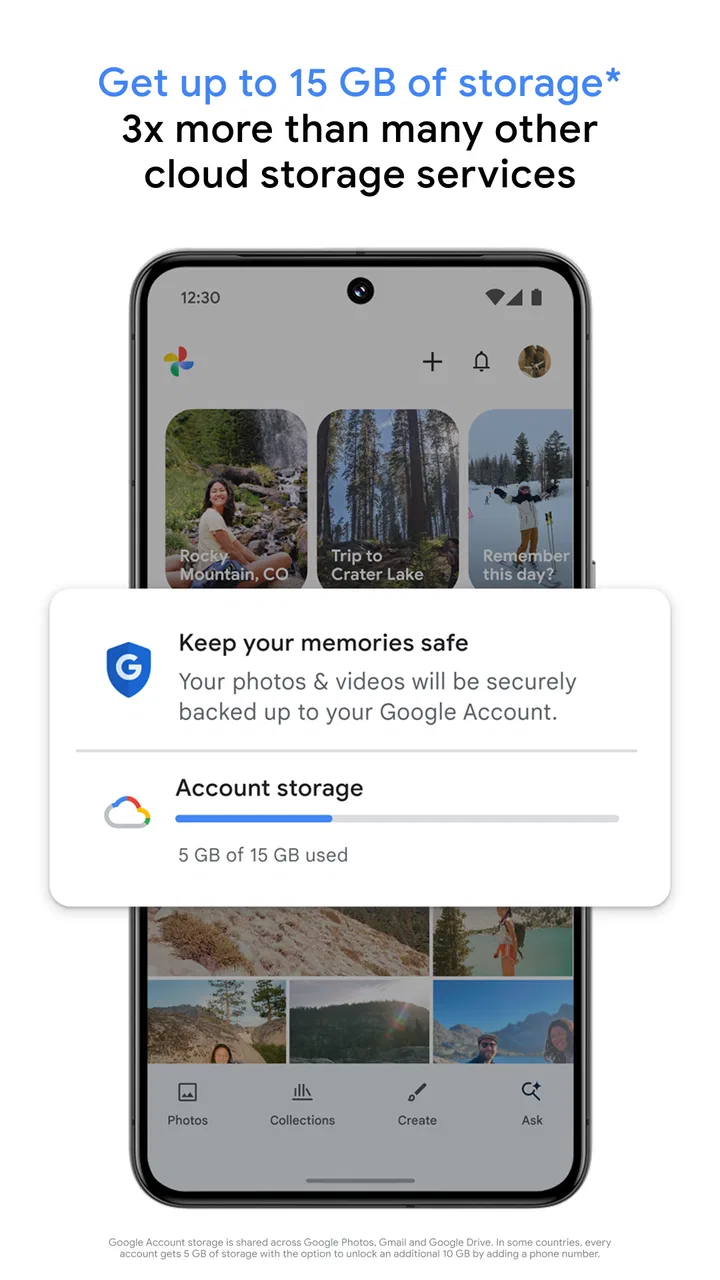
Google Photos provides free unlimited storage for photos up to 16 megapixels and videos up to 1080p under the ‘High quality’ setting. However, the ‘Original quality’ option counts against your Google Account storage quota, which is shared with other Google services. Be sure to choose the right setting based on your storage needs and quality preferences.
03Can I share photos and videos directly from Google Photos?
Yes, Google Photos makes sharing easy. You can share photos and albums with others, even if they don’t use Google Photos. Simply select the media you want to share and choose from various options like email, social media, or a shareable link. This feature helps you effortlessly share memories with friends and family.
04Is Google Photos secure and how does it protect my data?
Google Photos ensures your data is secure through encryption in transit and at rest. It uses Google's robust security infrastructure to protect your photos and videos. Additionally, Google Photos complies with privacy regulations and offers features like two-factor authentication. However, users should also take personal measures to safeguard their accounts.
05What are the advanced features of Google Photos?
Google Photos offers advanced features such as AI-powered search, which allows you to find photos by people, places, and things without needing tags. It also provides automatic photo enhancements, built-in editing tools, and the ability to create animations, collages, and movies. These features make it a versatile tool for managing and enhancing your media library.
Pros
- Unlimited storage at high quality.
- Seamless integration with Google services.
- Automatic backup and sync.
- Powerful search with AI capabilities.
- User-friendly interface.
Cons
- Compression may reduce image quality.
- Limited editing features.
- Requires internet for full functionality.
- Privacy concerns with data storage.
- No advanced organization options.

Google Photos
Gallery